For Mac and Windows — in English and Arabic

The adhan, right on time,
on your computer.

Prayer Reminder calls you to every prayer exactly on time: official, accurate prayer times, the adhan in beautiful voices, the Qibla on a satellite picture of your home, adhkar and Quran recitations — in an elegant app for Mac and Windows.

Get it from theMicrosoft Store Coming soon to theMac App Store
No sign-up, no accountOfficial Awqaf timetablesYour mosque's own times
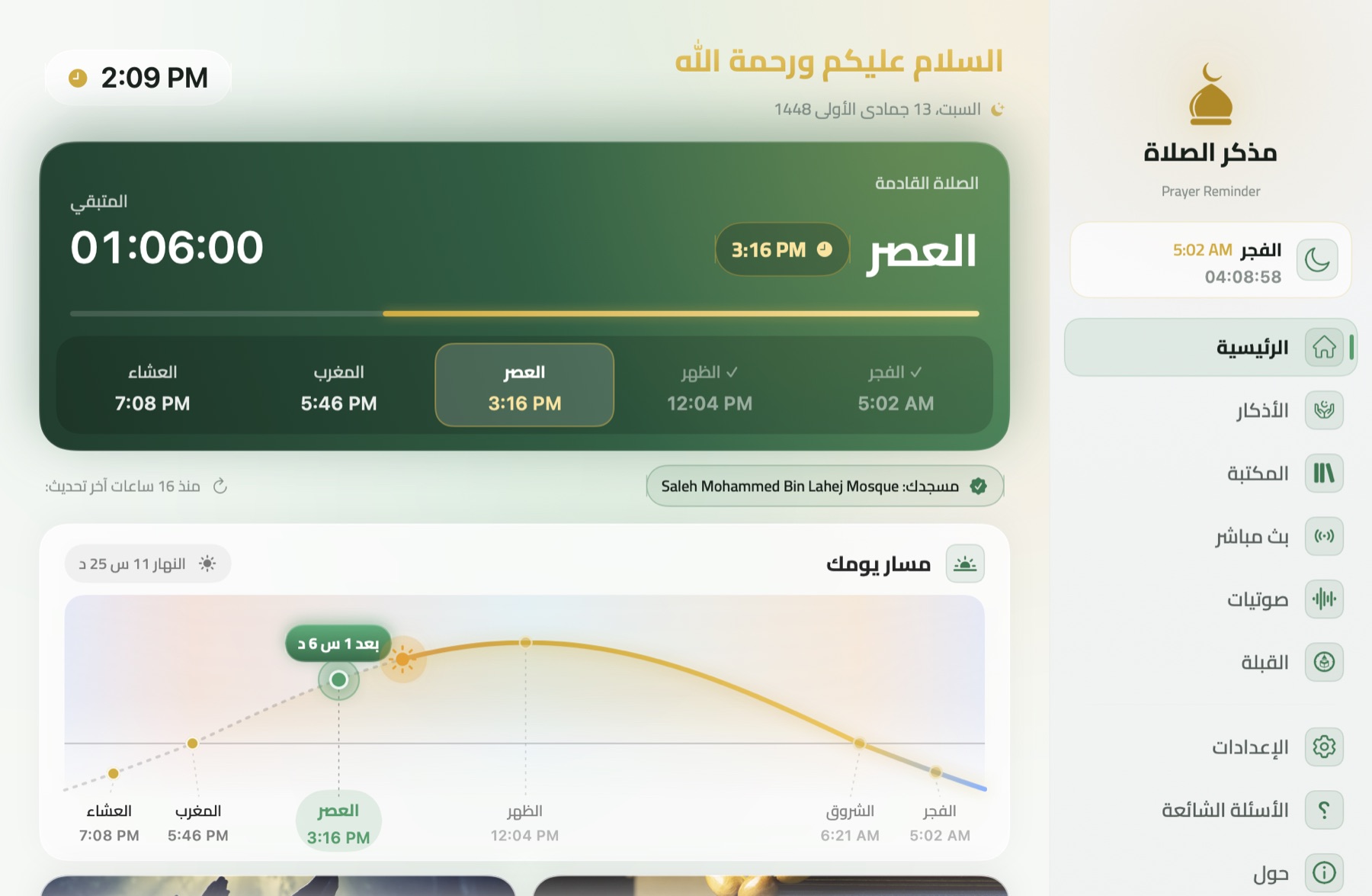
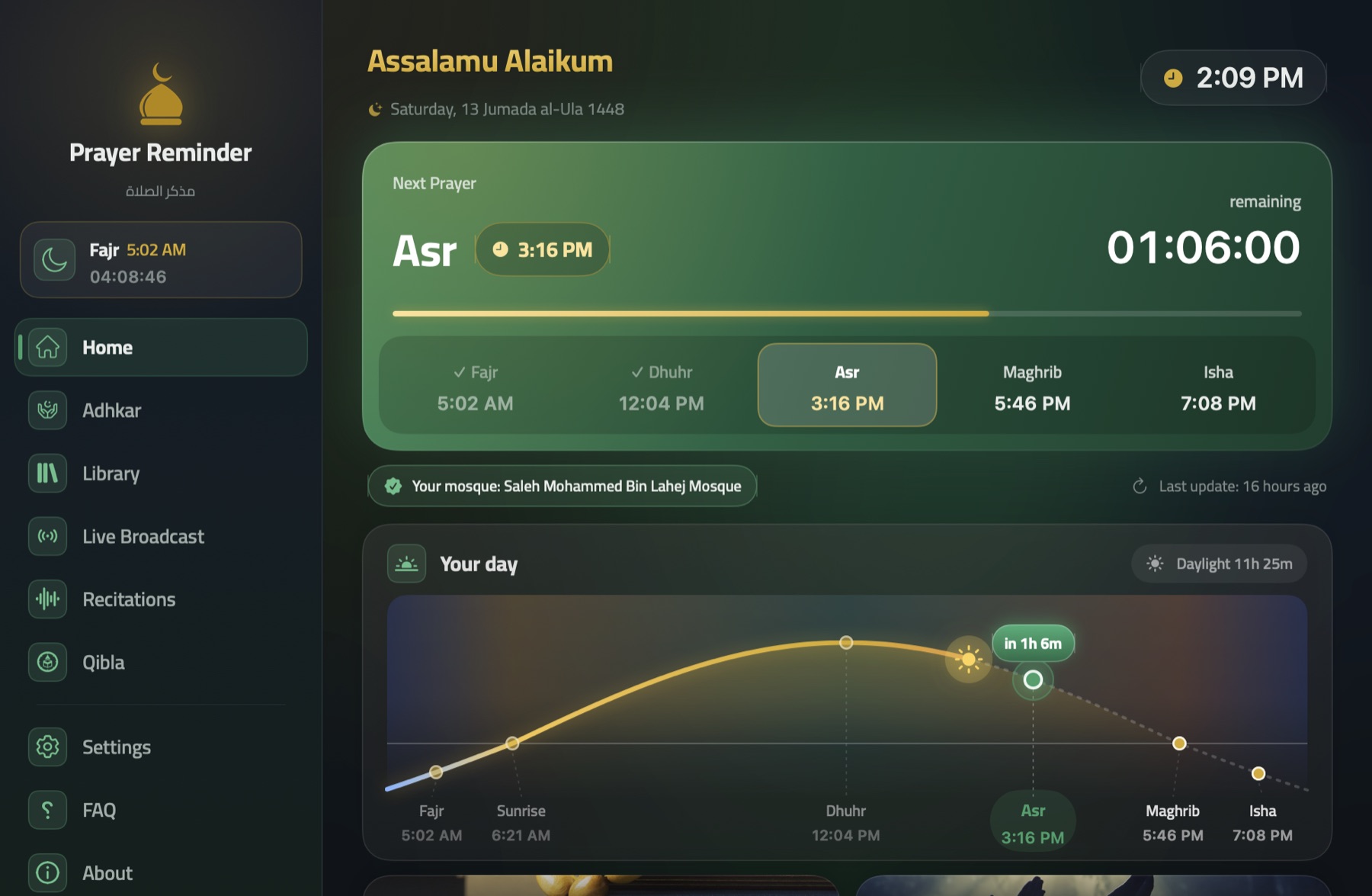
Prayer Reminder on Mac: the next prayer, its countdown and the day's path
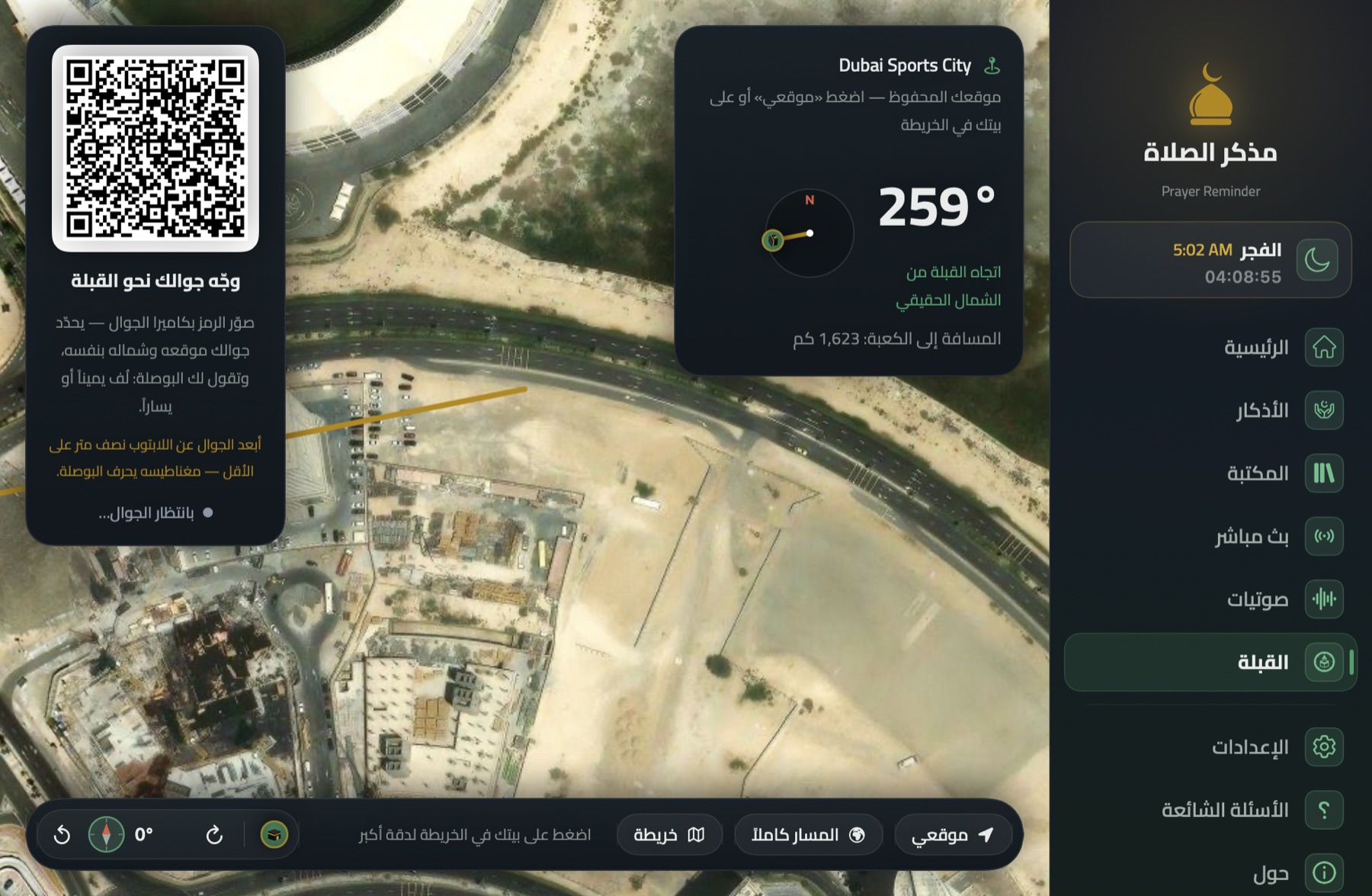
Qibla directionfrom a satellite picture
6times a day, to the minute
3time sources: official, your mosque, or calculated
8recognised calculation methods
2platforms: Mac and Windows
Everything for your prayers

One app, with you all day

Carefully made to be exact, calm and beautiful — it works quietly and reminds you at the right moment.

The heart of the app

The adhan, right on time

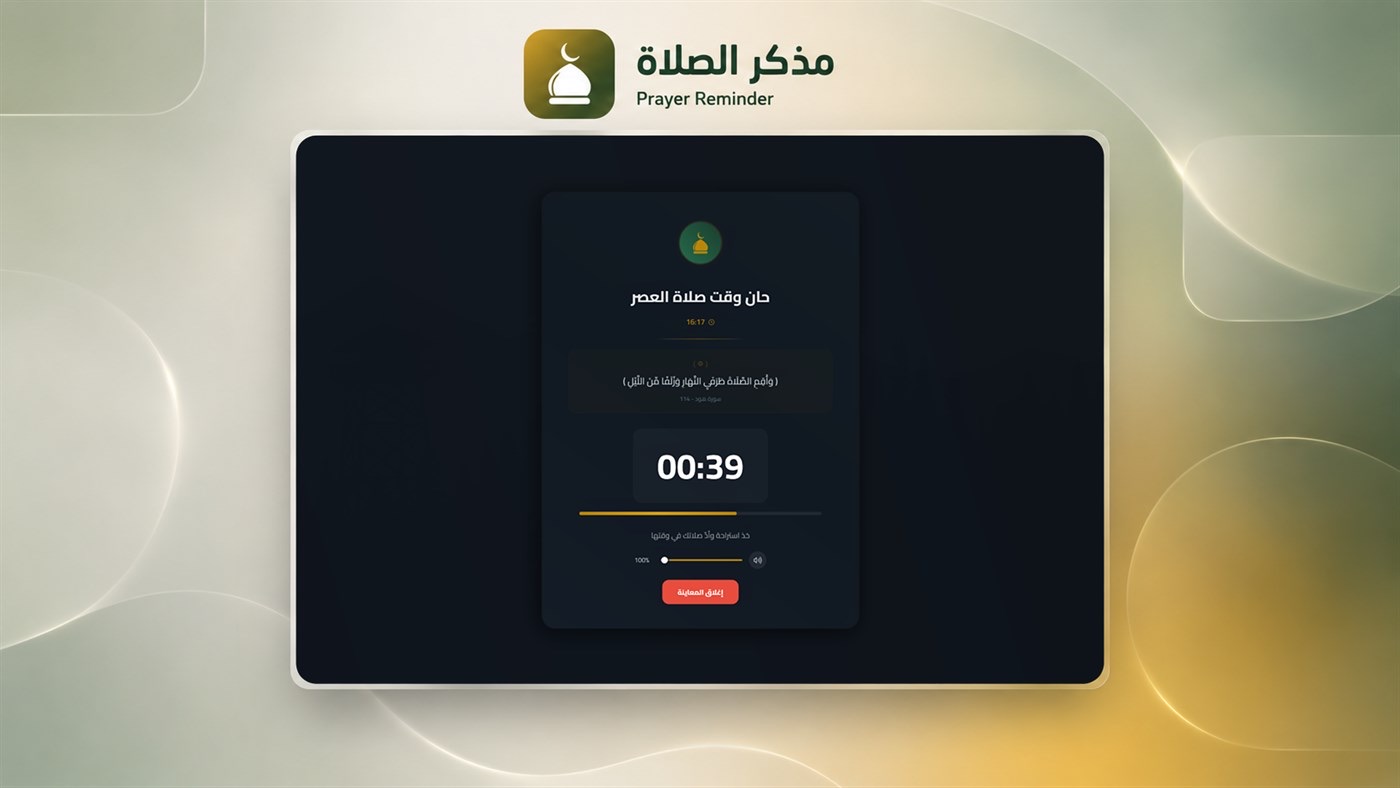
A full adhan in chosen muezzins' voices, an elegant prayer-time window, a hadith a few minutes before the adhan, and music lowered while it plays.

Asr adhan in 10 minuteswith a short hadith to remind you before the adhan
It's time for Asr prayerYour mosque · by its own timetable
Music lowered automatically
LaterStop adhan
Official & exact

Times from the right source

The official UAE Awqaf timetables, your mosque's schedule, or the calculation method of your country — standard or Hanafi Asr.

Fajr5:12
Dhuhr12:14
Asr3:28
Maghrib5:53
Isha7:08
Official AwqafYour mosqueCalculated

A satellite Qibla finder

The Qibla line on a real picture of your home, and a QR code that opens a phone compass with three ways.

Mosques nearby

Pick your mosque on the map to pray by its times, with official mosques clearly marked.

Quiet in the background

It lives in the menu bar or by the clock, starts with your computer, and speaks up only at prayer time.

Adhkar & library

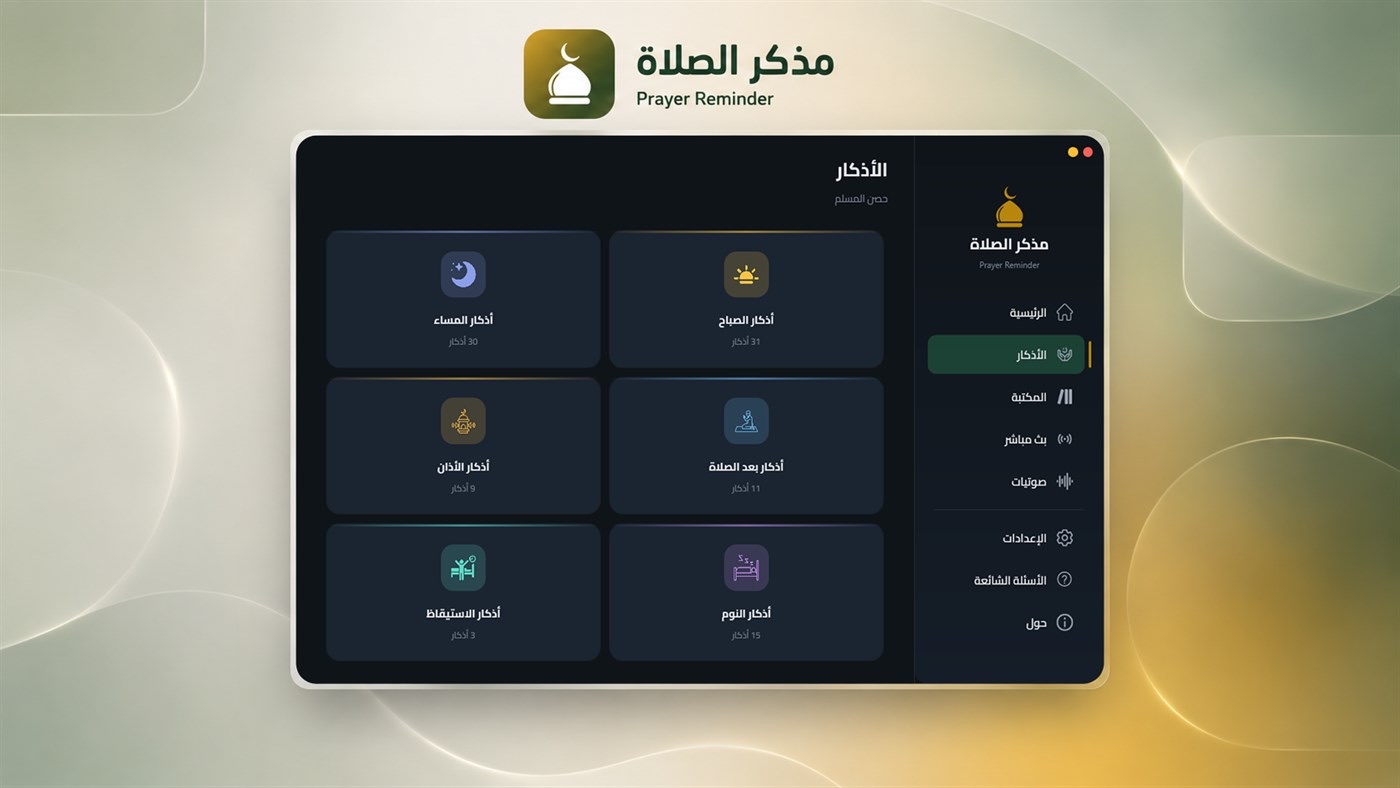
Morning, evening, after-prayer and sleep adhkar, and a library of Islamic books in the app.

سبحان الله وبحمده

Hijri calendar

The Hijri date every day, and the year's occasions — from the White Days to Ramadan and the two Eids.

Hijri date

Quran & live

Recitations by chosen reciters, and live Quran and Sunnah radio and TV channels.

Surat Al-KahfRecited by chosen reciters
Quran RadioLive, around the clock
LIVE

Your settings go with you

Move your settings between Windows and Mac in one file, and back them up to iCloud.

How it works

Three steps — and never miss a prayer

01

Install the app

From the Microsoft Store on Windows, or the Mac App Store soon.

WindowsMac
02

Choose your place or mosque

Detect your location, search your city, or pick your mosque on the map to pray by its times.

LocationCityMosque
03

The adhan, on time

It works quietly in the background and plays the adhan with its window exactly at each prayer.

AdhanPrayer window
On Mac

A new design, truly native to macOS

Built from scratch with Apple's technologies: fast, light and at home in the menu bar, in dark and light, with a right-to-left Arabic interface.

  • «Your day»: the sun through day and night, each prayer in its place
  • Menu bar, widgets and start at login
  • Move your settings between Windows and Mac in one file
  • iCloud backup
The Qibla on a satellite picture in Prayer Reminder for Mac
Prayer Reminder for Mac in light mode
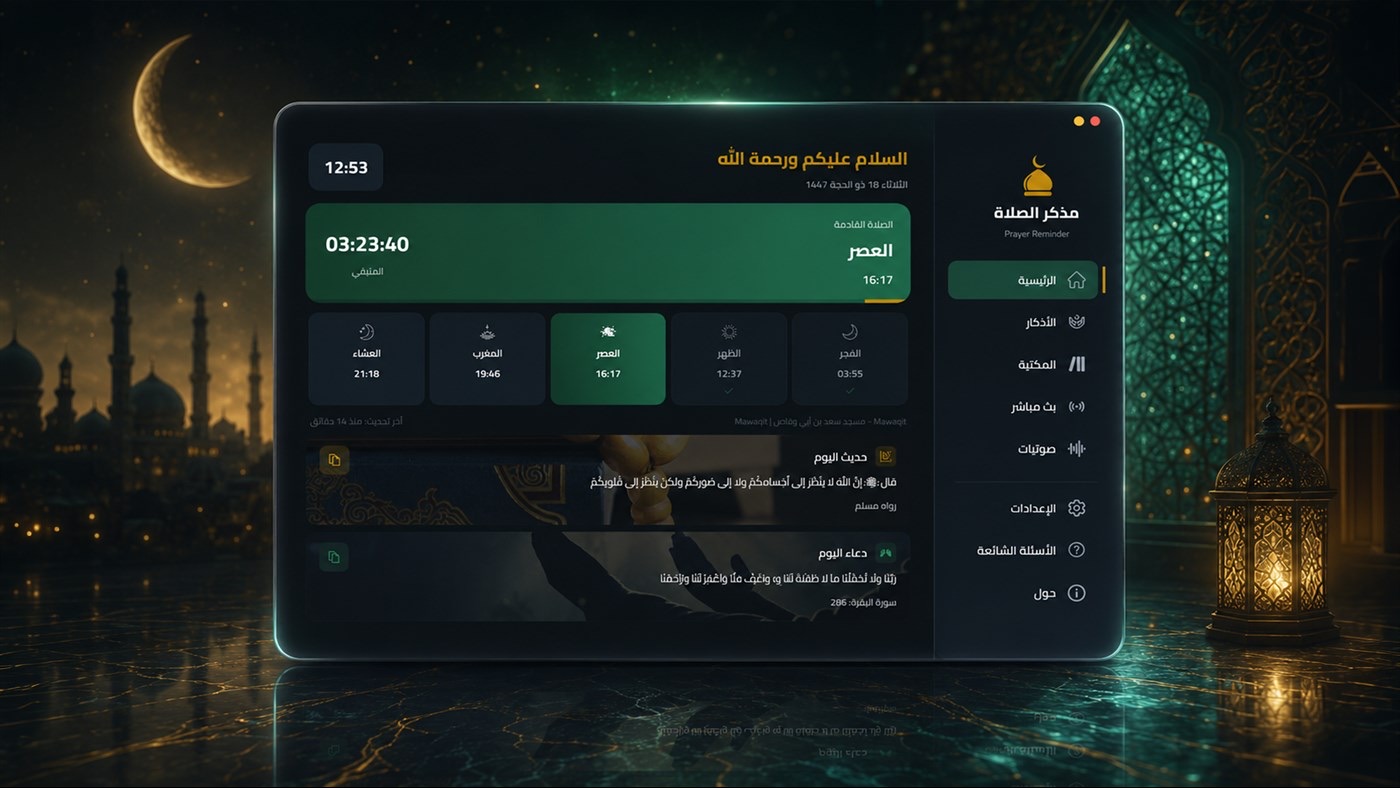
Prayer Reminder for Windows: home
The prayer-time window on Windows
Adhkar in Prayer Reminder for Windows
On Windows

The classic app, from the Microsoft Store

The original, much-loved design for Windows 10 and 11: the prayer-time window, the countdown, adhkar, the library and live channels.

Exact times for every country

Your country's method — automatically

Nothing to choose: the app uses the official timetable where one exists, otherwise the method used in your country.

UAEOfficial Awqaf tables for each area; the UAE method elsewhere
Saudi ArabiaUmm al-Qura
EgyptEgyptian General Authority of Survey
Kuwait & QatarKuwait · Qatar methods
PakistanUniversity of Islamic Sciences, Karachi
North AmericaIslamic Society of North America (ISNA)
Turkey & FranceClosest recognised method: Muslim World League
Everywhere elseMuslim World League

In the app you can pick your mosque to pray by its times, or change the method and madhab and adjust any prayer by minutes.

Qibla direction

The Qibla, exact — even indoors

Any phone's compass drifts inside buildings because of steel and appliances. So the Qibla page gives you three ways — choose what suits where you are:

MapA satellite picture of where you are with the Qibla line — most exact indoors.
SunThe sun's direction, exact for your place and time — no magnet at all.
CompassFastest, corrected to true north automatically — for open spaces.
FAQ

Good to know

Are Prayer Reminder's prayer times accurate?

Yes. Times come from the official timetable where one exists (such as the UAE Awqaf tables), from your mosque's schedule, or from the astronomical calculation used in your country.

Which devices does it run on?

Windows 10 and 11 from the Microsoft Store, and Mac (macOS 14 and later) coming soon to the Mac App Store — in English and Arabic.

How do I find the Qibla accurately indoors?

A phone's compass drifts inside buildings because of steel and appliances. The app draws the Qibla on a satellite picture of your home, and the phone Qibla page offers three ways: the map, the sun (no magnet) and the compass.

Do I need an account?

No. There's no sign-up and no account; your settings stay on your device, with an optional iCloud backup on Mac.

Which calculation methods are supported?

Muslim World League, Umm al-Qura, UAE, Egyptian Authority, Karachi, North America (ISNA), Kuwait and Qatar — with standard or Hanafi Asr and per-prayer adjustments in minutes.

The makers

Born on Windows — made at home on Mac

Prayer Reminder is a shared effort, and each side keeps its own credit.

MT
Original creator · Windows app

Mahdi Titi

Designed and built Prayer Reminder from scratch for Windows and published it on the Microsoft Store — the original everything is built on.

@mahde
M3
Mac app & website

M3 Marketing Agency

Rebuilt the app natively for Mac with the same logic and precision, and designed this website and the phone Qibla compass.

m3.ae

Start today with Prayer Reminder

Your daily companion for prayer, on Mac and Windows.

Get it from theMicrosoft Store Coming soon to theMac App Store